Making a PowerPoint with AI: what Claude is really changing - feedback
A PowerPoint expert for 10 years, I tested Claude live. Here's what it really does well, its real limitations, and what it actually changes for your presentations.

Note from Arnaud - April 2026: This article is based on a live demo created for the podcast Squeeze & Scale by Spicy Lemon. The observations shared here reflect the state of the tools at that date. Claude's abilities, and the other models, are evolving rapidly. Take this feedback as a basis for reflection, not as an absolute truth.
For more than ten years, I have been supporting companies on their PowerPoint presentations. Pitch decks, sales materials, annual reports, event presentations. And for the last two years, one question has come up in almost all my customer exchanges: Can you, or should you, use AI to make PowerPoint? And if so, how?
When Anna Logacheva, co-founder of Spicy Lemon and AI & content expert, invited me to her Squeeze & Scale podcast for a live demo, I accepted for a simple reason: it's a question I couldn't avoid anymore. Not because AI was going to replace what we do at mprez, but because my customers need an honest answer rooted in practice, not in marketing promises.
This article is my answer. And for an overview of the main AI tools available on the market, you can also consult our comparison of the 5 AIs to make PowerPoint. We tested them for you.
Why Claude, and why now
Generalist AI rather than specialized tools: the everyday argument
The first question I am often asked is: why Claude rather than Gamma, Beautiful.ai or SlideSai ? These tools are designed specifically for presentations, after all.
My answer is pragmatic. Thematic tools have two structural limitations.
The first, It's the compartmentalization : they do not always or fully connect to your existing work environment, your files, your presentation history, your business context.
The second, It's the multiplication of subscriptions. If you start thematizing all your AIs, one for slides, one for text, one for images, you quickly end up with an expensive and fragmented stack.
Claude, like ChatGPT by the way, offers something else: a universal tool that you already use for other topics, that can connect to your Google or Microsoft environment, and that does not require an additional subscription.
It is The everyday argument, not a promise of superior results in absolute terms.
On the question of Real cost of AI for PowerPoint, in fact, we have already done the calculation. I invite you to discover our findings if you are interested.
What Claude does in PowerPoint that Copilot doesn't do yet
This is the point that struck me the most when preparing this demo, and as a reminder, it is a factual observation as of March 2026.
Many companies are already equipped with Copilot via their Microsoft 365 license. In essence, Copilot is ChatGPT integrated into the Office environment. It makes it possible to assist writing, to summarize documents, to generate content.
What it does not yet allow is to directly edit slide elements in PowerPoint : change a title, reorder blocks, adapt the layout from a chat window.
But theClaude extension for PowerPoint, available on the Microsoft marketplace, allows it. You open your presentation, a Claude chat window appears in the interface, and you can edit the active slide directly, in conversation.
Will Copilot catch up? Most likely, and quickly. But today, it is a concrete advantage of Claude in a Microsoft environment.
Opus or Sonnet: task-based arbitration
A practical point to keep in mind, especially if you are on a limited credit plan.
The two models available in Claude 4.6, Opus and Sonnet, do not consume the same resources and are not adapted to the same tasks.
Sonnet is lighter, faster, enough for anything word processing : translation, punctuation check, simple reformulation, terminological consistency of a deck.
Opus is more powerful, and more demanding, for analysis and synthesis tasks that involve several slides at the same time : create a multi-slide summary, analyze the structure of an entire deck, generate a key takeaways slide from twenty slides.
This is not an absolute rule, it is a trade-off depending on what you have at hand and the level of your subscription.
What Claude knows how to do, and where he brings real value
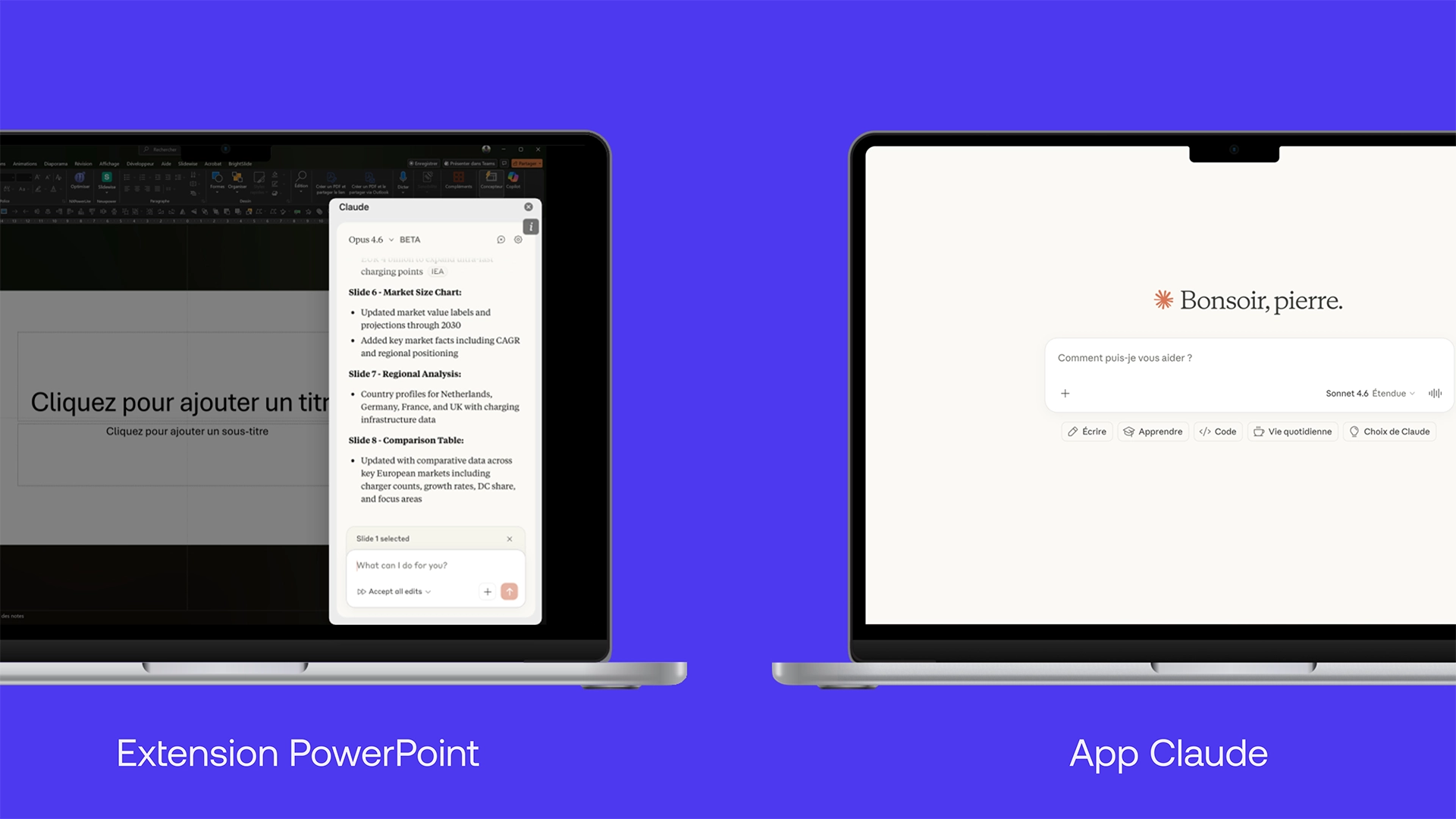
Two entries worth distinguishing: the app and the PowerPoint extension
Before talking about use cases, there is a basic mechanism to understand, because it directly conditions the quality of the results.
There are two ways to work with Claude on presentations.
The first, It's from the Claude Classique app : the web or desktop interface. You expedite a structure, Claude generates an HTML rendering with a preliminary layout, you modify the data directly in this rendering, then you export to PPT and finalize by hand.
The second, It is since the Claude for PowerPoint extension, directly in the open document.
My advice, based on the tests and confirmed live during the demo, is to always create from the app for presentations from scratch. The results are much better.
The PowerPoint extension is still in beta, the renderings are less accurate, the texts tend to be smaller, and empty areas more frequent. The extension, on the other hand, is very effective for modify the existing : correct a slide, reformulate a title, adapt a block of content into an already structured deck.
Again, a quick reminder: this distinction is not final, it reflects the state of the tool in March 2026 and will evolve.
Transforming raw material into a slide: the most immediate use case
This is the use case that convinced me the most in practice, and that I showed live during the demo.
The idea is simple: you have raw material, a meeting transcript, a client brief, a note taking, a web page extract, and you need to make a clean, directly presentable slide out of it. Claude does this work of summarizing and formatting in a single query.
In practice: you paste the transcript into the PowerPoint extension, you indicate that you want a slide in three blocks with an active title, without timecodes or dense text blocks. Claude identifies the main ideas, reformulates them, structures them visually. What would have taken twenty minutes of manual formatting takes thirty seconds.
This use case works for all types of content: customer call feedback, project brief, competitive context of a company to be integrated into a commercial proposal. If you work regularly on presentations with a complex message, this is where Claude brings the most immediate value.
Condensing, adapting, rewriting: what Claude does better than any shortcut
There's a whole set of repetitive tasks that Claude is reliable, fast, and honestly hard to beat.
Condensing a deck. You have a twenty-slide sales presentation. You need a five-slide pitch version for an appointment in ten minutes. Claude analyzes the whole thing, identifies the common thread, selects the essential. It does not make strategic trade-offs for you, but it structures what you give it with a consistency that manual work takes much longer to achieve.
Rewrite titles. This is something I often tell my clients: a slide title should not describe the subject, it should express the conclusion. “Spring 2026 campaign” says nothing. “The digital campaign exceeds the goals” means everything. Claude is very good at that. Give him your slide, he analyzes the content, identifies the main message, and offers several insight-oriented title options, from different angles.
Adapt content to an audience. The same marketing content to be rewritten for a commercial audience, or an internal support to be reformulated for a management committee: Claude manages these adaptations with a precision that I found surprising. The background remains the same, the angle and the register change.
If you want to go further on these different use cases, we have compiled with Spicy Lemon a complete playbook with 13 ready-to-use prompts to create, condense, adapt and finalize your PowerPoint presentations with Claude.
What Claude doesn't know how to do yet, without any guesswork
Complex layouts: AI is picking up
This is the most frequent limit that I observe, and the most important to anticipate before starting.
Claude works well with classic layouts: three columns, two blocks, title + key points. As soon as we leave these standard structures, a dense roadmap, an “overview” slide with a complex map, a five-column layout with sub-elements, the results are becoming unpredictable. Claude improvises, places content arbitrarily, and the visual hierarchy collapses.
My advice: Do the content trade-offs yourself in advance. Give Claude an already prioritized subject, and ask him only for the formatting on a structure that you have defined for him.
Don't ask him to sort the content and manage the layout simultaneously on dense topics, that's where it always falls out.
Visual identity remains out of reach
Claude generates neutrals. This is both its strength, because it makes it possible to quickly obtain a clean structure, and its limit as soon as we talk about brand identity.
We can give him a color palette, modify a mask afterwards, adjust the tones. But the faithful transcription of a high-stakes graphic charter (precise color codes, typographical rules, layout systems specific to a brand) remains inaccessible today, regardless of the AI tool.
The best practice that I recommend: first create the content with Claude, in a neutral visual environment. Then apply your visual identity afterwards, manually or with the help of a designer.
It is for high-stakes presentations, investor pitches, strategic commercial supports, that this human step makes all the difference. In fact, this is precisely the core of our work asPowerPoint design agency on a daily basis.
The quality of the prompt determines everything, like a brief
This is perhaps the most important thing that I have consolidated by working with Claude on presentation topics.
Prompting is briefining. And a vague brief gives a vague result. It's true with a team of designers, it's true with an AI, and in both cases, the responsibility of the quality of the brief is on the side of the person giving the instruction.
What I observe: the teams that get the best results with Claude on presentations are those who already know how to structure a request, who are used to formulating a context, an objective, and constraints. The others end up with slides that are correct but without relief, and spend as much time correcting as they would have spent creating.
My advice: before you even write your prompt, Ask Claude how to phrase it. Describe your goal in a few words and ask them to suggest the most effective prompt structure to get there.
That's what we call Reverse prompting : using AI to learn how to teach him better. In practice, that changes everything. You gain an interlocutor who anticipates your expectations instead of a generator that produces at random.
What this is changing, and how I look at this evolution
Our role: to understand in order to better advise
I want to be clear on one point, because I am hearing a lot of confusion on this subject.
At mprez, following the evolution of AI does not mean delegating our presentations to a machine. Our job remains what it has always been: support companies so that their PowerPoint presentations become real drivers of conviction, both in terms of content and form.
It's not a defensive position against AI. It's just that strategic storytelling, custom design, and brand consistency can't be delegated to a general-purpose tool, at least today.
On the other hand, I am following these developments closely for a concrete reason: my customers ask me the question. Understand exactly what Claude can do, what he cannot do, and in what contexts he brings value, It is to be in a position to support in their own transition to these tools, without leaving them alone in the face of poorly calibrated promises.
What I'm looking forward to, with caution
I don't make predictions. But I am watching.
The market is consolidating rapidly. Copilot will catch up with Claude in the PowerPoint environment, it's a matter of months, not years. The Claude for PowerPoint extension will continue to improve.
Here is also another tool that I recommend keeping a close eye on: Weavy, recently purchased by Figma, which aims to create workflows between different AI tools (your photo bank on Drive, your existing slides on Google Slides, your Figma templates) to directly feed the creation of presentations. It is still under development, but it is the most promising direction in this category.
What was true in March 2026 will probably not be true in six months. And that is precisely why I advise my clients to experiment now, methodically, rather than waiting for the market to stabilize. Because it's not going to stabilize anytime soon.
What I remember
Make a PowerPoint with AI, and with Claude in particular, brings real value to specific tasks : transform raw material into a structured slide, condense an existing deck, adapt content to a new audience, rewrite titles. These are repetitive, time-consuming tasks with low human added value, and Claude treats them with a reliability that is difficult to ignore.
But for presentations that have a real challenge (a pitch in front of investors, strategic commercial support, a CODIR presentation...) AI is still an accelerator, not a replacement.
The message, the narrative structure, the visual identity, the brand coherence: these are dimensions that require human expertise, and this is where a specialized agency makes the difference.
If you are preparing this type of presentation and want to discuss it, our experts are available to accompany you.